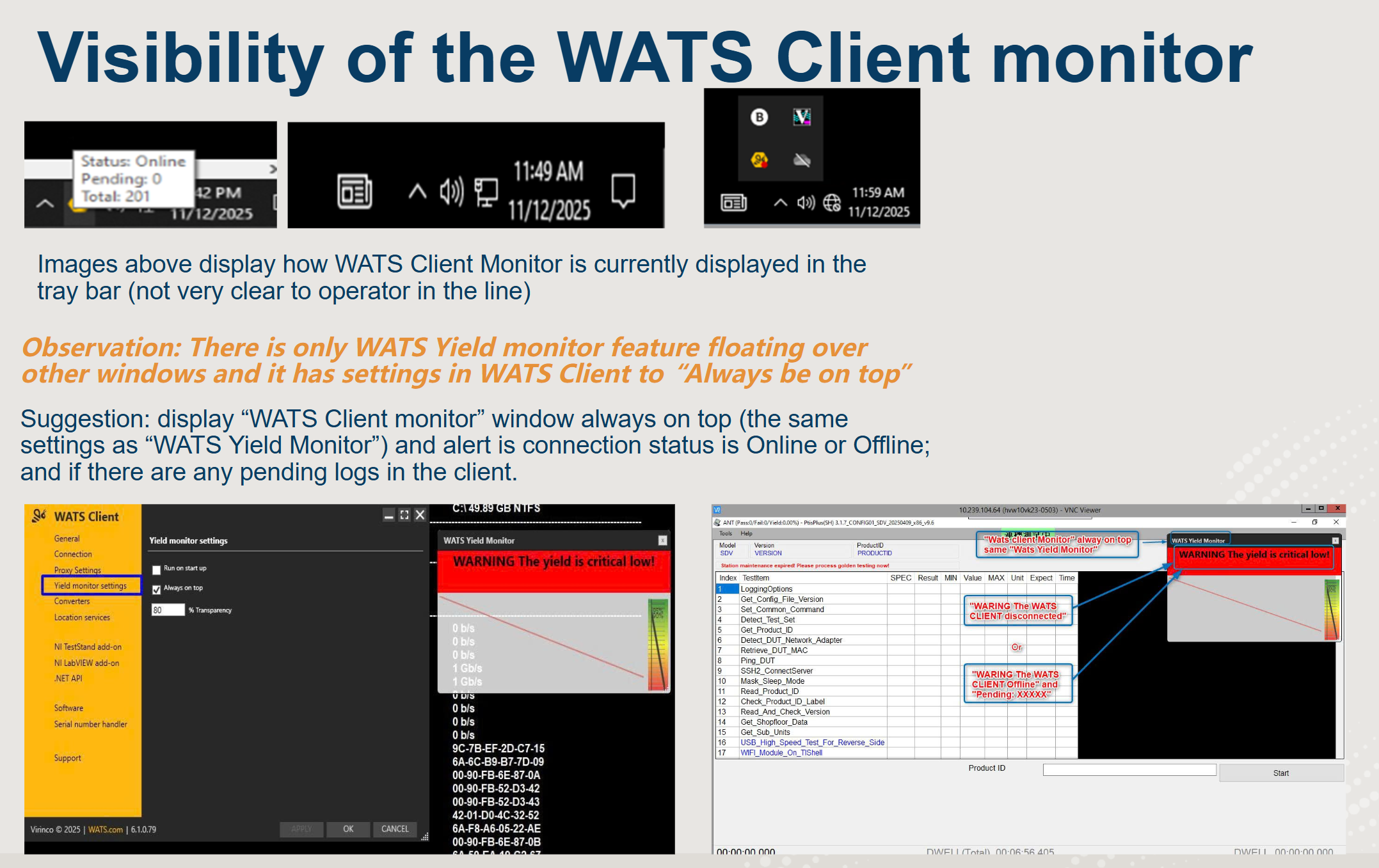
Add functionality and settings for "WATS Client Monitor" to be the same as for "Yield monitor" (Always on top)

Short description and the cause of the request: we see that some WATS clients change connection status from Online to Offline and it is not clear to an operator in production line what is the current status (apart from a tiny icon and a red dot in the tray window).
So the suggestion is: Add functionality and settings for "WATS Client Monitor" to be the same as for "Yield monitor": 1. run on start up and 2. Always be on top of other windows.
We hope it sounds like a good suggestion. Feel free to share your thoughts. Thanks again!
Please sign in to leave a comment.
Comments
1 comment