WATS web GUI start page

I am one user that just uses some few areas in WATS and I find, at every login, I have to drill down to the page that I use.
Could a function be added to the profile where clicking a menu item would save the current page as the start page and that page is loaded at login? This can save 5 or more seconds every day; 30 minutes a year. : P
Here is a concept image for where the new menu item could be (Set current page as start page)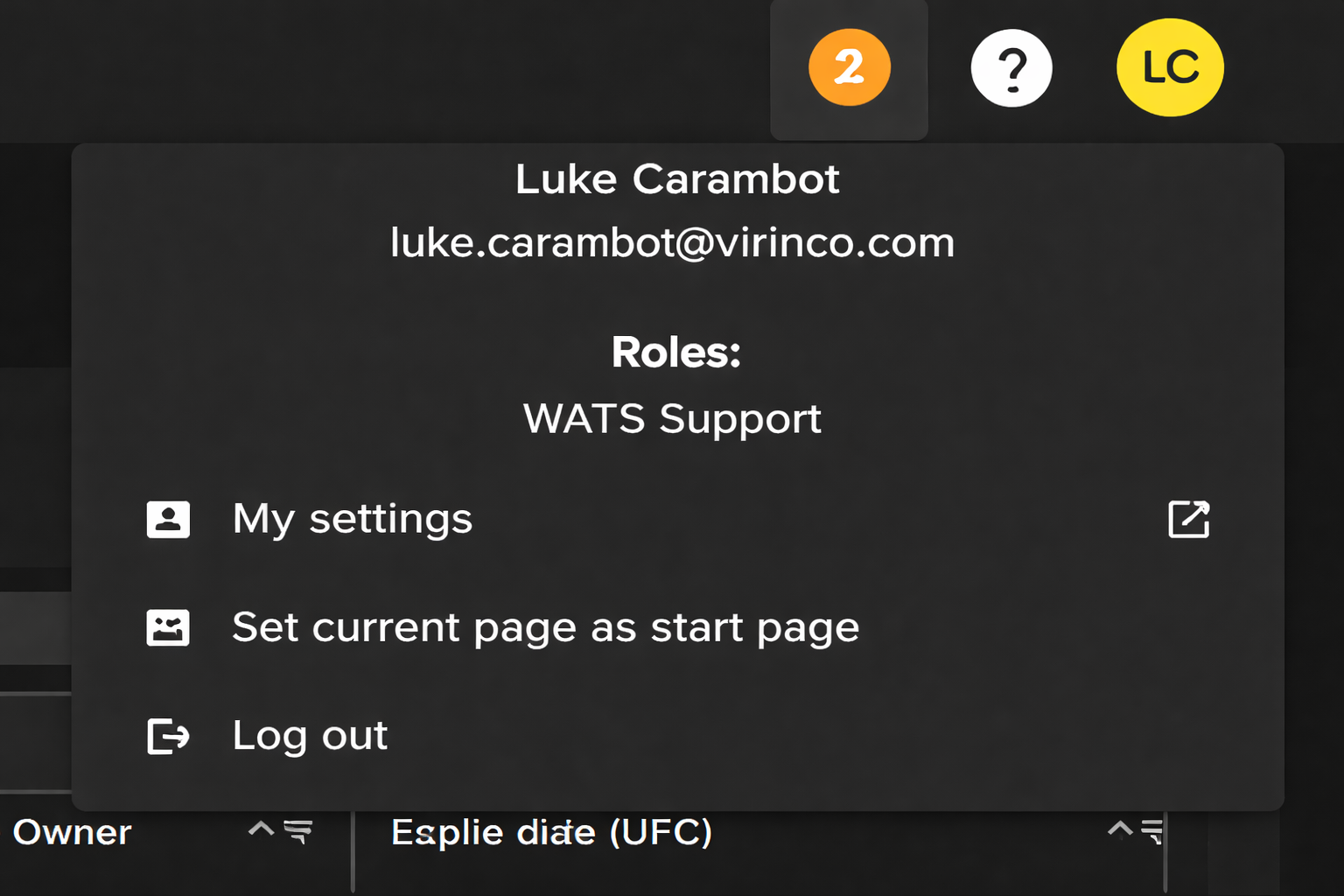
-
Official comment

Hi Luke
We could consider this of course, but a couple of points, just to make sure you are aware of them:
1. You can add your most used modules as favorites, which will add them as buttons directly to the start page. You don't go there directly, but it is one click only from the start page to where you need to go.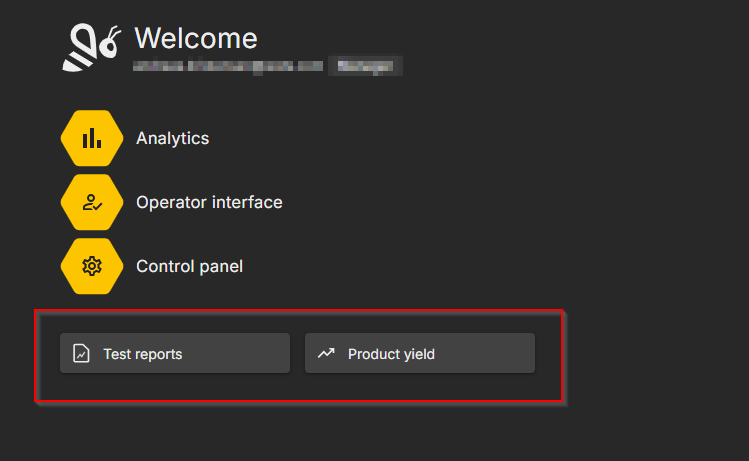
2. If you are not logged into WATS, and try to go to a specific page (i.e https://yourserver.wats.com/dist/#/analytics/test-reports), you will be taken to the login page. But after loggin in, you will then be taken to the page you tried to access. This means that if you use for instance browser bookmarks, you will end up at the correct place.Comment actions
Please sign in to leave a comment.
Comments
1 comment