Export wizard downloads missing curve data in Excel export

Hello WATS Support,
On the morning of September 22, 2026 (China time, UTC+8), we attempted to download curve data through the Export wizard, but found that the exported data appears to be incomplete.
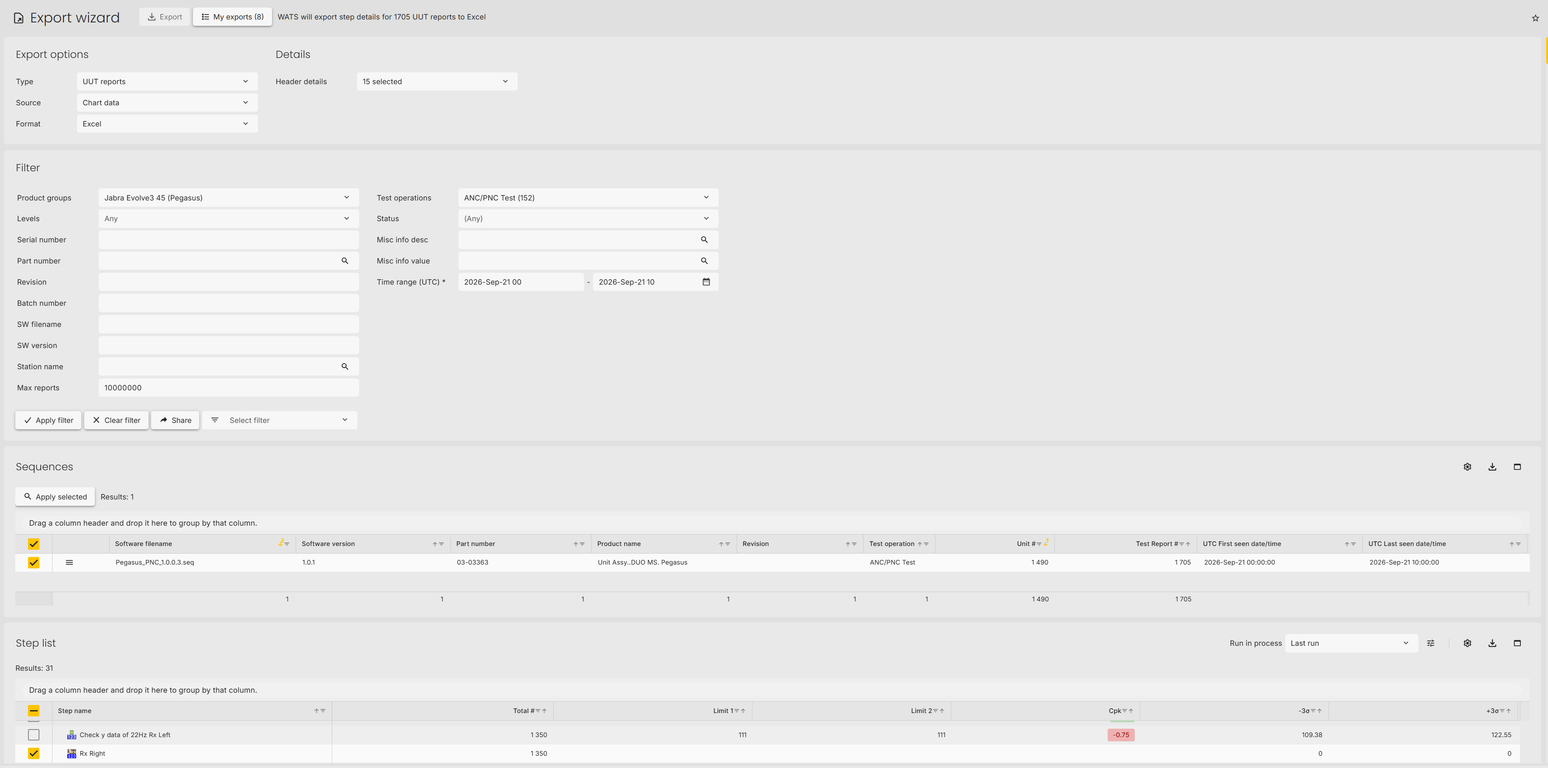
The export was configured as follows:
- Type: UUT reports
- Source: Chart data
- Format: Excel
- Product group: Jabra Evolve3 45 (Pegasus)
- Test operation: ANC/PNC Test (152)
- Time range (UTC): September 21, 2026 00:00 to September 21, 2026 10:00
- Number of reports: approximately 1,700
However, the downloaded ZIP file is only 415 KB, which seems abnormal considering that it should contain curve data for more than 1,000 reports.
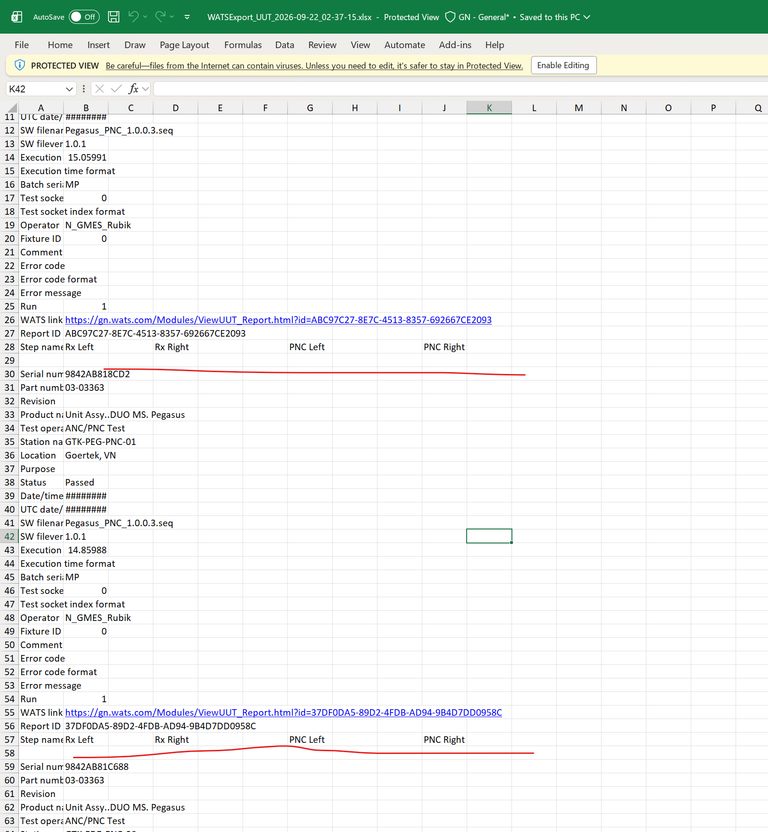
After opening the exported Excel file, we can see the report and step information, but the corresponding curve values are missing. The cells below the curve headers, such as Rx Right, PNC Left, and PNC Right, are empty.
Please see the attached screenshots for reference:
- Export wizard search/filter configuration
- Downloaded ZIP file size
- Exported Excel file showing that the curve value fields are empty
Could you please help confirm whether there is an issue with the Export wizard or the chart-data export function, and advise how we can successfully export the complete curve data?
Thank you.
-
Official comment

Hi,
I can confirm that this is a reported issue and will be fixed in the next cloud update.
Please look for fixed item #31616 in the release note section https://support.wats.com/hc/en-us/sections/115000845066-WATS-Cloud-releases
Comment actions
Please sign in to leave a comment.
Comments
2 comments