Alarms and notifications - specify extra columns to be included in the email
Answered
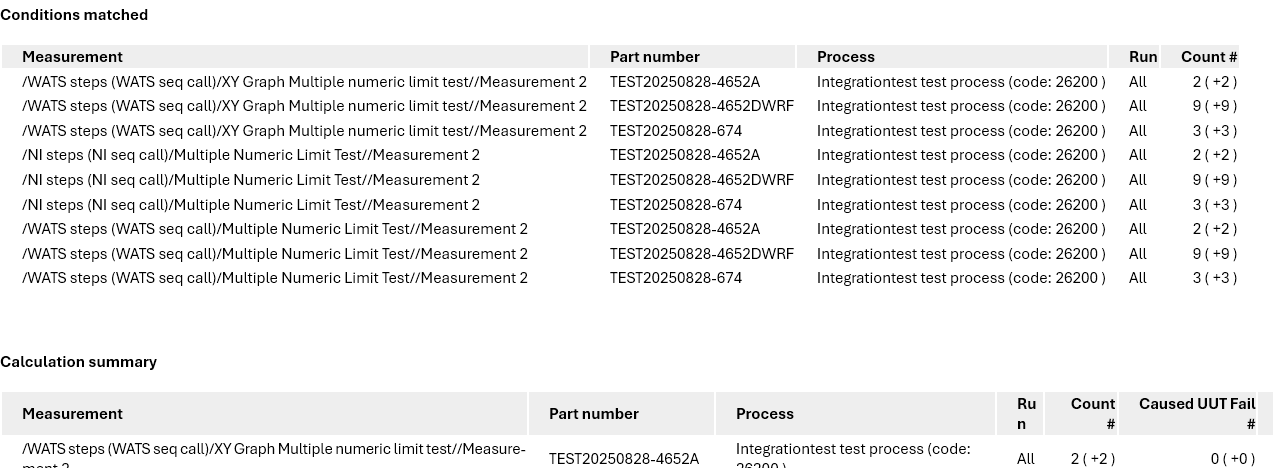
We would like the alarm emails to have a little more details included in the "Conditions matched" section.
If our alarm is quite broad, it can be quite difficult for the measurement related alarms, to quickly match the measurement path to a specific product/part number.
Could it be possible to add "Part number" and maybe other columns, so you can select/deselect the columns you want for your specific report?
-
Official comment

Hi.
Curently this is related to the way the module is designed. The columns added to the rules are the ones the data is aggregated on to calculate the kpis and further used to identify a match.
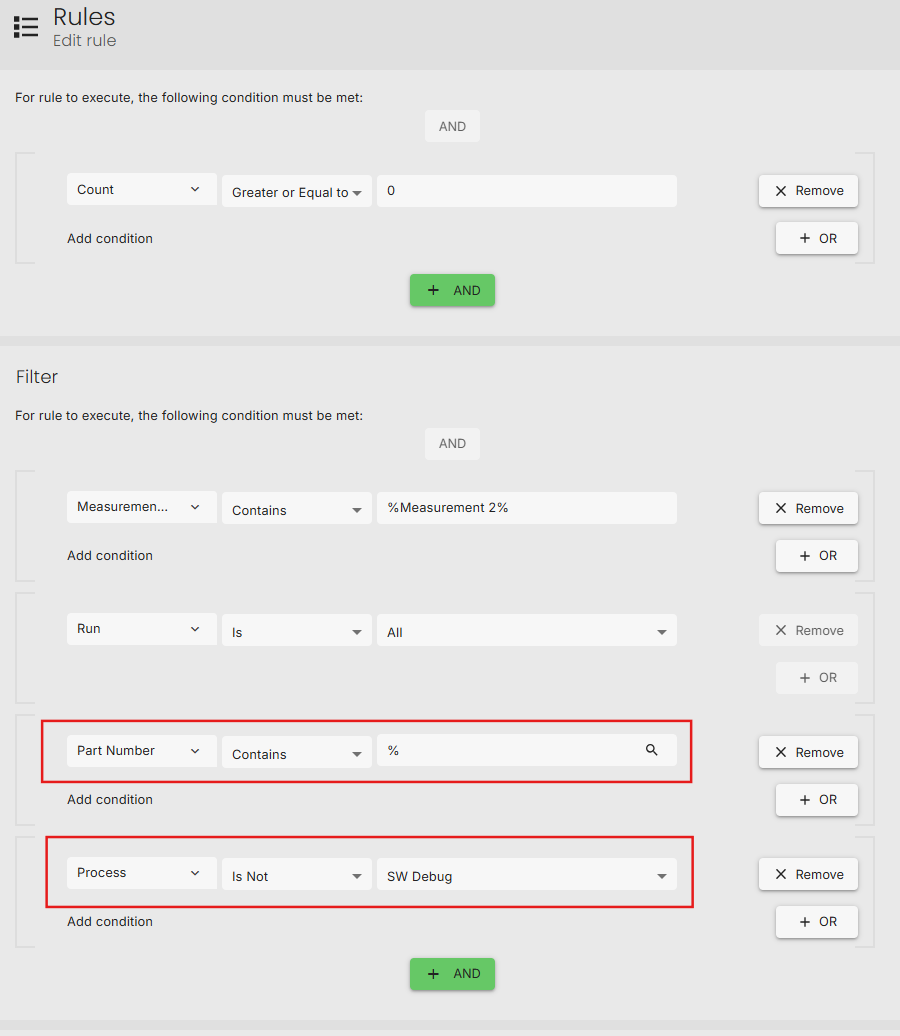
If a certain dimension is not important for filtering, but important as information, you should try adding them to the rule with wildcards.
Example:
Specify a wildcard search on the part number and exclude the SW Debug process.
As a result, the part number and process information are both included in the query and in the emails being sent.
Keep in mind: all the kpis are now calulated by an aggregation over Part number, Process and Measurement and not only the Measurement itself.
 Comment actions
 -

I'm not sure, but this could be a similar issue to the one I'm having. I raised the following ticket: https://support.virinco.com/hc/en-us/community/posts/20764495961884-Quick-access-to-test-step-analysis-from-Alerts-and-Notifications-Report
Please sign in to leave a comment.
Comments
4 comments